
Cash Flow Projection Excel – Free Template (2026)
0
Free download
Track Irish herd numbers, BPS applications, expected payments, advances, balances and outstanding amounts in Excel.
Download template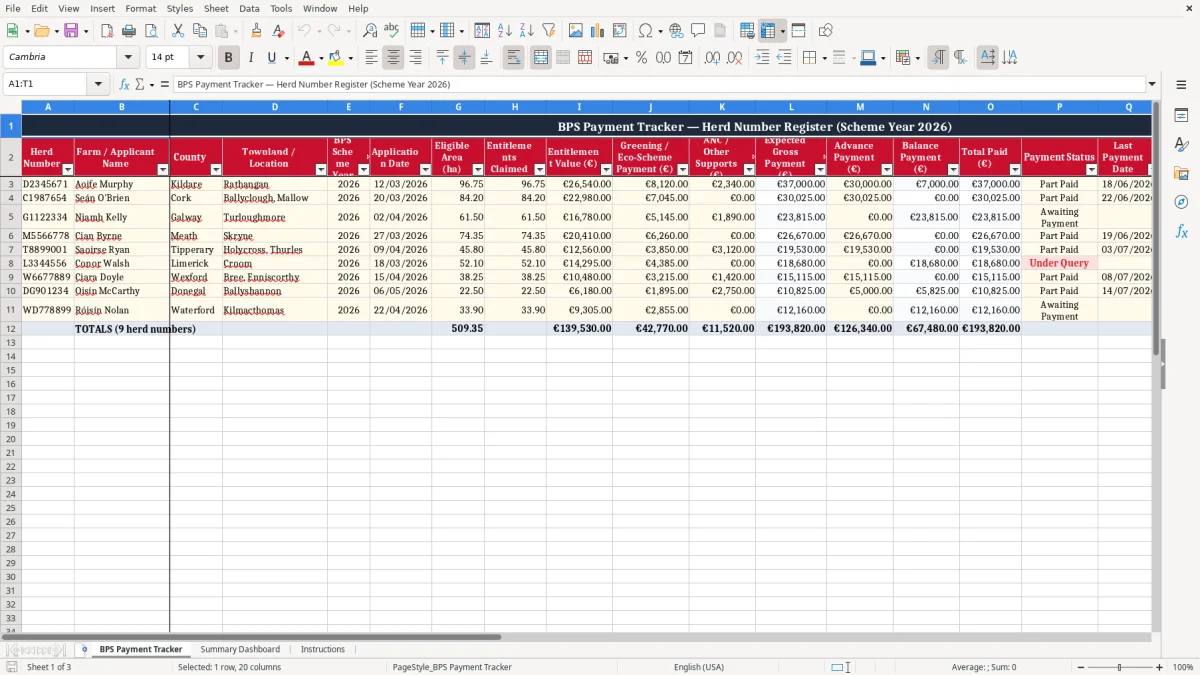
The Herd Number BPS Payment Tracker is an Excel template for Irish farmers, agricultural consultants and farm offices managing Basic Payment Scheme records. It provides one organised register for herd numbers, applicant details, locations, scheme years, eligible areas, entitlements and related supports. You can record expected payments, advance payments, balance payments and payment dates, while calculated fields help show the total received and any amount still outstanding.
The template is designed for practical administration during the payment year, making it easier to review several farms or applicants without relying on separate notes, emails or paper records. Use the Notes column to capture queries, missing documents, correspondence and follow-up actions. The spreadsheet is a tracking aid rather than an official entitlement calculator, so figures should always be checked against current Department of Agriculture, Food and the Marine information and your own farm records.
Start by entering one record for each herd number and scheme year. Add the farm or applicant name, county, townland or location, application date, eligible area and entitlements claimed. Enter the relevant entitlement value, Greening or Eco-Scheme payment and ANC or other support amount.
The workbook uses these figures to help calculate the expected gross payment. When money is received, enter the advance payment and balance payment amounts, then record the latest payment date and select the most suitable payment status. Review the total paid and outstanding amount fields to see whether the expected payment has been received in full.
Update the record whenever new information arrives, and use Notes for Department queries, adviser comments, document requests or planned follow-up. Keep herd numbers consistent and avoid creating duplicate rows for the same herd number and scheme year. Before relying on a figure for financial planning, compare the spreadsheet with official statements and current Irish scheme guidance.
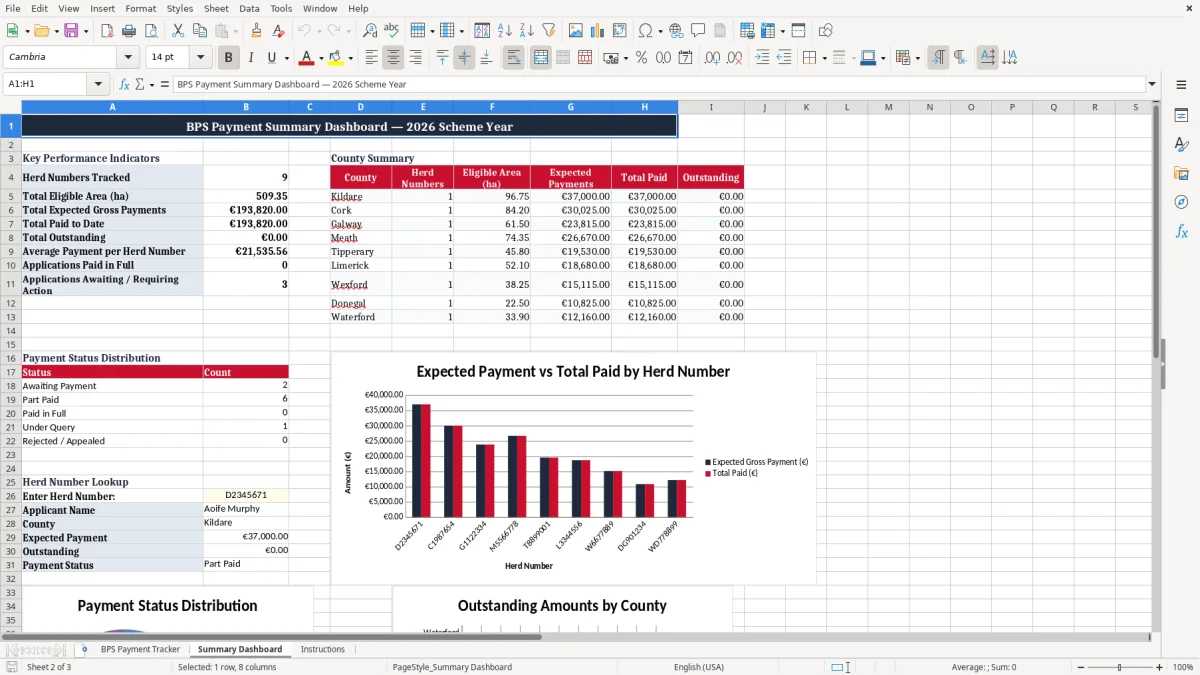
Managing Basic Payment Scheme information across several Irish farms can become difficult when herd numbers, application dates and payment notices are stored in different places. This Excel tracker gives farmers and advisers a simple way to connect each payment record with the relevant herd number. The register includes space for the farm or applicant name, county, townland or location and BPS scheme year, so records can be reviewed in a useful farm administration context.
It also provides fields for eligible area in hectares and entitlements claimed, helping users keep the main application details beside the payment information. A consistent row structure makes it easier to filter, sort and review records during the year. This can be particularly useful for offices supporting multiple applicants or for farmers who want a clear overview of family, partnership or client holdings.
The template is not intended to determine official eligibility, rates or entitlements. Instead, it acts as a practical record of expected and received amounts based on figures supplied by the user. Always compare entries with official Department of Agriculture, Food and the Marine communications and current scheme guidance.
By keeping one up-to-date workbook, users can reduce duplicated data entry, find records more quickly and identify applications that need attention. The herd number remains the central reference, while the additional location and applicant fields help prevent confusion where names or farms are similar. This makes the spreadsheet a useful starting point for organised BPS administration in Ireland.
Use the scheme year consistently, especially when retaining records from several payment cycles, because figures and support arrangements may change between years. A clear register supports better conversations with advisers and helps identify missing information before it becomes a larger administrative issue.
The payment section is designed to give a straightforward view of what an applicant may receive and what has already been paid. Users can enter an entitlement value, a Greening or Eco-Scheme payment and an ANC or other supports amount. These figures are brought together in the expected gross payment field, providing a single reference amount for the record.
As payments arrive, the advance payment and balance payment fields can be updated separately. The total paid field then shows the combined receipts, while the outstanding field indicates the difference between the expected amount and the total recorded as received. This structure is useful because Irish farm payments may arrive in stages rather than as one transaction.
It helps users distinguish an advance from a later balancing payment and reduces the risk of treating a partial receipt as a completed payment. The payment status field can be used to label records as pending, advance received, part paid, fully paid or subject to a query. The last payment date provides another useful reference when checking bank records or correspondence.
Since payment rates and scheme rules can change, the workbook should not be treated as a source of official calculations. Enter figures from reliable farm records, payment statements or current guidance, and investigate differences before making financial decisions. Regular updates will make it easier to prepare questions for an adviser or the Department, identify delayed records and maintain a clear history of payment progress for each herd number.
The outstanding amount is a monitoring figure, not confirmation that a payment is legally due. Check exclusions, adjustments, penalties and revised notices separately when reconciling the workbook.
An organised spreadsheet can make routine farm administration more manageable, especially when several applications must be checked throughout the payment cycle. This template combines identification, application and payment details in a single worksheet. The application date and days since application fields help users see how long a record has been open, while payment status gives a quick indication of progress.
Eligible area, entitlements and euro amounts remain visible beside the applicant and herd number, reducing the need to search through separate documents. The Notes field is intended for practical information such as a request for supporting documents, a contact with an adviser, a Department query, a revised figure or a reminder to check a payment statement. Users can sort or filter the register by county, scheme year, status or applicant, depending on the review they need to complete.
Keeping a standard format also makes handovers easier when a farm office, family member or consultant is helping with administration. For best results, use one row for each herd number and scheme year, enter dates consistently and avoid overwriting historical information without noting the reason for a change. Save dated copies if the workbook forms part of a wider administrative record.
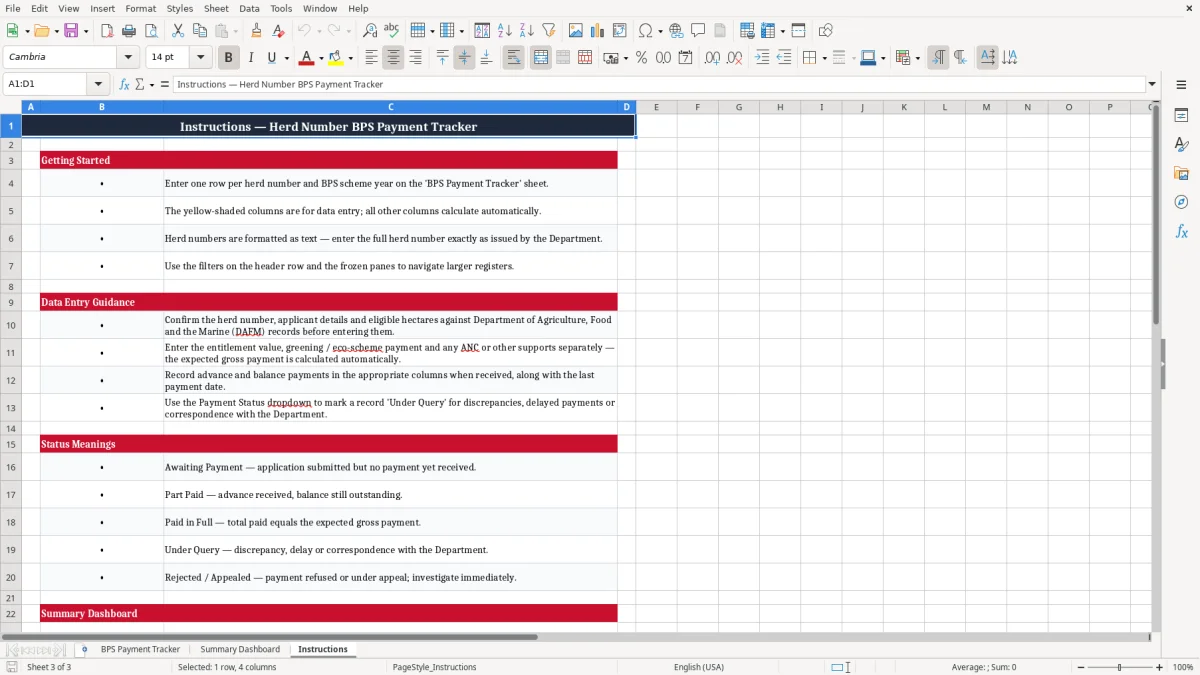
The tracker should support, not replace, official application systems, financial records or professional advice. Its main purpose is visibility: it helps users see which applications are recorded, which payments have arrived, which balances remain and which matters need follow-up. Used regularly, it can provide a practical overview of BPS-related administration for Irish holdings.
Consider restricting editing of formula cells and keeping a secure backup if several people use the file. Review access permissions when the workbook contains personal or financial information.
When the workbook also holds personal or financial information, a separate income calculation sheet keeps grant figures distinct from the BPS tracker.
The accuracy of any payment tracker depends on regular updates and careful checking. Begin by confirming that the herd number, applicant name and scheme year are correct before entering financial figures. Where an applicant has more than one herd number, keep the records distinct so that payments are not combined accidentally.
Use the same format for dates, hectares and euro values, and enter zero where a support category does not apply rather than leaving uncertainty about whether it was reviewed. When an advance or balance arrives, update the relevant field and add the payment date. Compare the total recorded with bank information, official statements or other reliable documentation.
If the figures do not agree, use the Notes field to explain the issue and select a status such as Query Raised or Payment Delayed. Review outstanding amounts at suitable intervals, particularly before budgeting for feed, machinery, land costs or other farm commitments. Keep a backup of the workbook and consider saving a dated version before making major changes.
The template can also support meetings with an agricultural consultant because it gives a concise starting point for discussing applications and missing payments. However, it cannot confirm eligibility, calculate official rates or guarantee that an amount is due. Irish agricultural schemes may have changing rules, deadlines and payment arrangements, so users should consult current Department of Agriculture, Food and the Marine guidance.
A reliable register is therefore a combination of accurate entries, regular reconciliation, clear notes and informed verification. These habits help turn a basic Excel sheet into a useful administration tool for monitoring herd-number-linked BPS records.
Schedule a monthly review during the payment period and record the source of important figures in the Notes column. This creates a clearer audit trail and makes later corrections easier to explain.
That same source note becomes even more useful when monthly checks are tied to contract tax tracking for any payments that need to be verified later.

 Excel template built and verified by Ciara Byrne, Chartered Accountant (ACA) · builds the Excel templates.