
Cash Flow Projection Excel – Free Template (2026)
0
Free download
Irish preliminary tax estimate sheet for PAYE, sole traders and contractors, with credits, USC, PRSI, balance due and due date.
Download template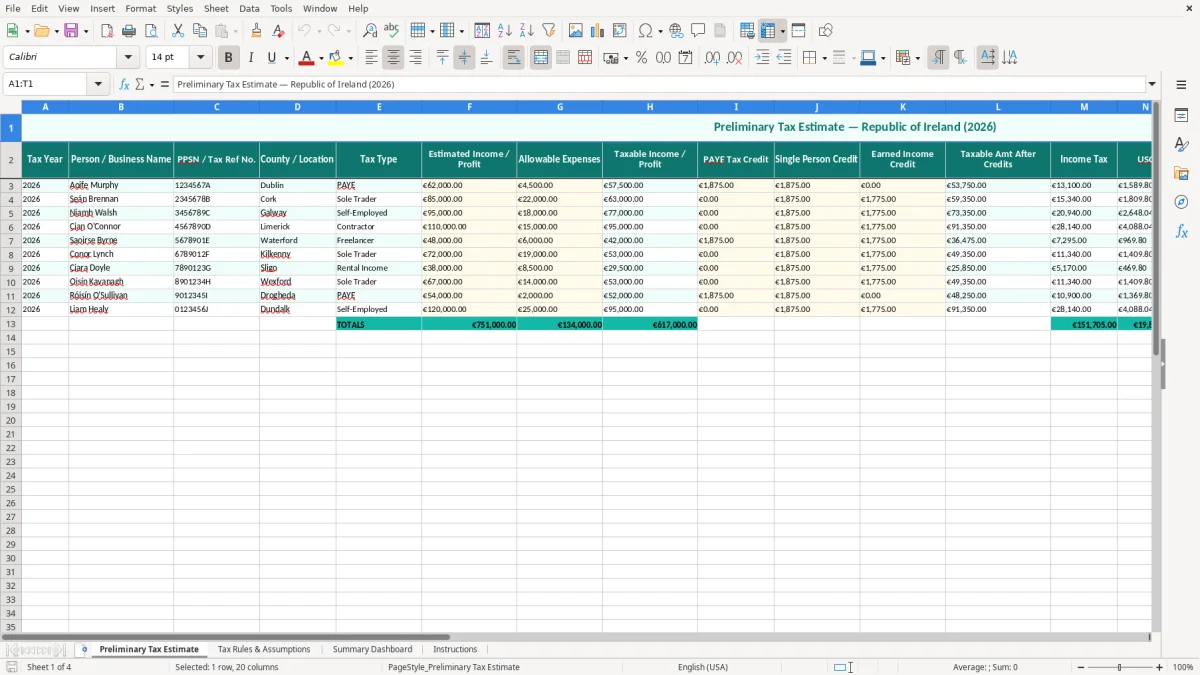
This preliminary tax estimate Excel template helps you work out an Irish tax payment estimate for 2026 from income or profit, expenses, credits, USC and PRSI. It includes a working estimate sheet, tax rules and assumptions, a summary dashboard and instructions.
It is built for sole traders, contractors and small business owners who need a quick figure before the Form 11 deadline in mid-November on ROS, or for anyone tracking what has already been paid against the estimated bill. You can use it to see the balance due or whether you have overpaid.
The workbook is laid out so you can enter the basics once and let the summary do the arithmetic. That makes it useful when you want a fast planning number, not a full accounts package.
This template is for the people who have to make a sensible guess before the return is filed: a sole trader with mixed business and private spending, a contractor with several invoices, a small Ltd company director, or a bookkeeper preparing the figures for the Form 11. In practice, it is most useful in September to November, when you are trying to see whether the tax bill will be a nuisance or a cash-flow problem.
The first sheet, Preliminary Tax Estimate (image 1), is set out as a clean table with columns for tax year, name, PPSN or Tax Ref No., county, tax type, estimated income or profit, allowable expenses, taxable income or profit, credits, income tax, USC, PRSI, preliminary tax already paid, balance due and status. That is exactly the sort of layout a sole trader can update in ten minutes after month-end. A carpenter with 4 employees might use it to compare his own tax estimate against the payments already made through the year.
For a worked example, say an online shop owner expects €85,000 turnover and €22,000 expenses. That leaves €63,000 taxable profit before credits, which is enough to make a preliminary tax estimate worth checking properly rather than leaving until the last week in November.
If you are a bookkeeper handling 5 or 6 clients, the sheet works as a list rather than a single calculation. That means you can keep one estimate for each client and compare the balances due without opening separate workbooks.
The sample data is there to show how the template handles PAYE, sole trader and contractor cases. It is not just decoration; it gives you a pattern for the fields that matter when you are typing in the real figures.
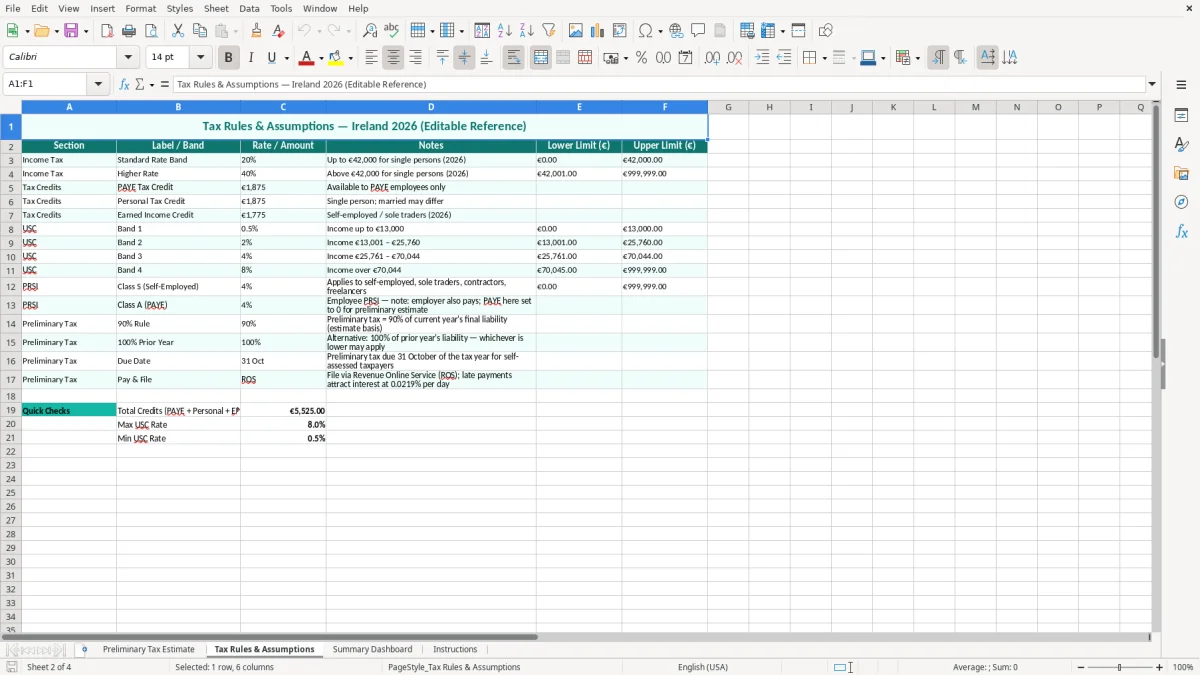
The second sheet, Tax Rules & Assumptions (image 2), should be the first place you check before using any estimate. The figures in Ireland matter: the standard VAT rate is 23%, but that is not the key rate here; for this template the important pieces are income tax, USC, PRSI and the relevant credits used in the calculation.
For 2026 planning, you still need to think in terms of filing deadlines and records. Revenue expects you to keep records for 6 years, and the Form 11 self-assessment return is normally due in mid-November on ROS. If you are a sole trader, preliminary tax needs to be ready well before then so you do not create a cash squeeze at year end.
Take a simple example: a self-employed person with €95,000 profit and €18,000 allowable expenses needs to see the effect of credits and social charges, not just the headline profit number. A limited company director might instead be looking at payroll income, PAYE deductions and personal tax credits, while the company itself is dealing with Corporation Tax at 12.5% on trading income via Form CT1.
The template keeps the assumptions visible in one place so you can see what rate or credit is driving the result. That matters if you are comparing two scenarios, such as taking more drawings as a sole trader versus moving some income through a company payroll.
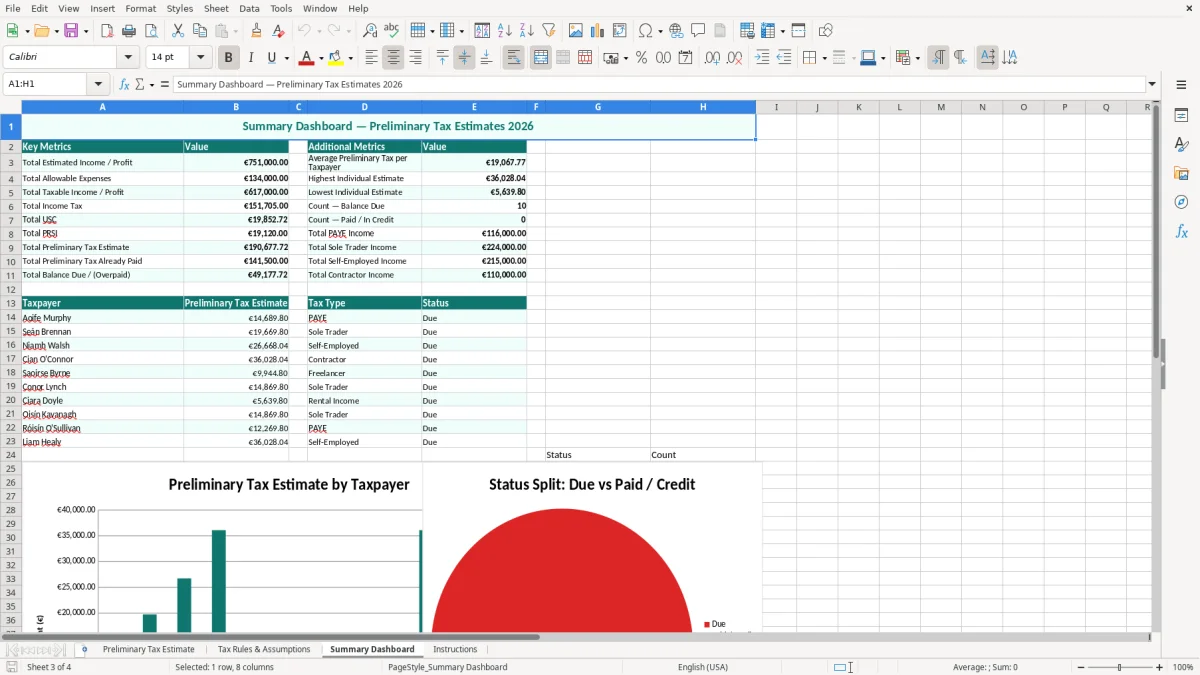
Summary Dashboard (image 3) pulls the entered figures into a simpler view, which is useful when you are checking the estimated balance before payment. If you are preparing for preliminary tax, the dashboard gives you the quick answer without hunting through the whole table.
The usual failure is not the maths; it is the missing figure. If you leave out a second income stream, forget a prior payment, or use the wrong tax year, the estimate can be off by hundreds or thousands of euro.
A common example is a contractor who earns €72,000, puts €12,000 of expenses through the business, and forgets that €8,000 of preliminary tax was already paid. On paper the estimate may look manageable, but the real balance due is much smaller, or even an overpayment. That is the kind of mistake that leaves cash sitting idle in Revenue when it could have stayed in your bank account.
Another issue is mixing up personal and business figures. A sole trader who treats private motor costs as allowable expenses can distort the taxable profit and understate the likely bill. If that error is repeated over 12 months, the gap can easily run into €1,000 to €3,000 once USC and PRSI are added.
Image 1 is structured to reduce that risk by forcing the key items into separate columns. When the columns are filled properly, you can spot if one client has no expenses entered, or if the balance due looks too low for the level of profit.
A rough guess can wreck cash flow in a small business. If you expect a €4,000 bill and it turns out to be €9,500, you have not just made a spreadsheet error; you have created a funding problem for wages, stock or rent.
That same gap is exactly why a contract tax tracker matters, because each job needs its own record before the total due starts to drift away from the real liability.
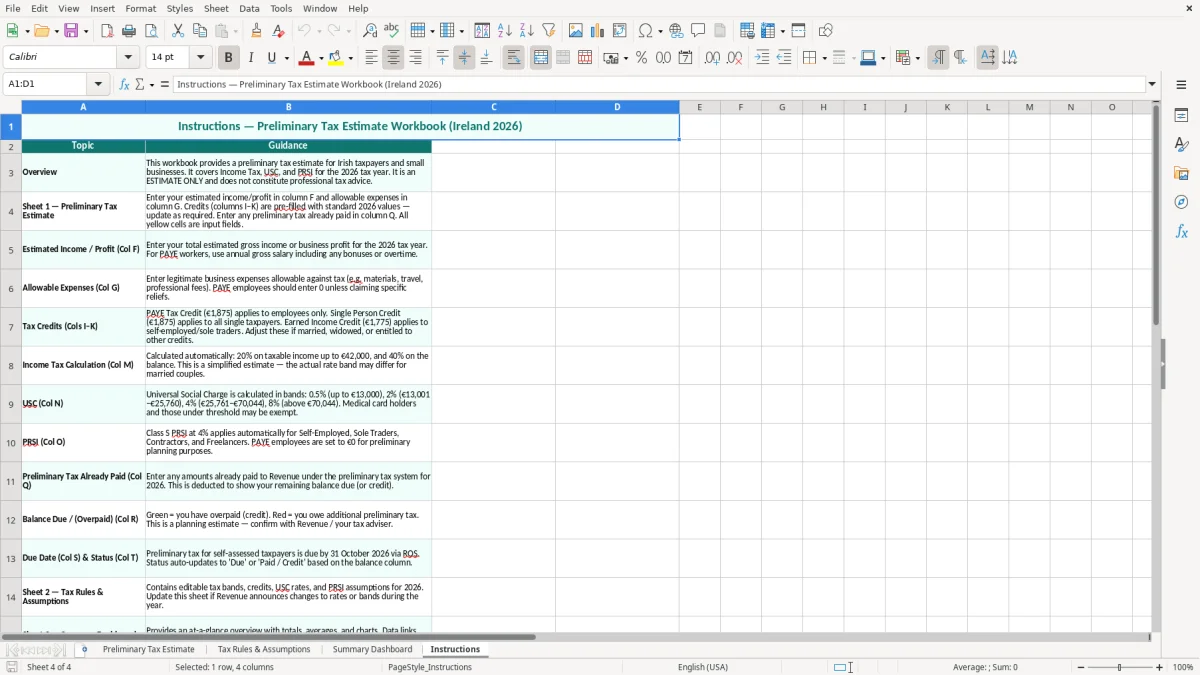
The template works best when you tie it to a fixed routine. Most users should update it once a month, ideally after payroll or after the bank reconciliation, so the estimate moves with the business rather than sitting untouched until November.
The simplest habit is to copy the latest figures, refresh the income and expense totals, and review the dashboard on the same day every month. If you are already doing a VAT3 return or month-end payroll, that is the right hook — one routine, one spreadsheet, no extra admin slot.
If you have more than 20 or 30 recurring lines, or you are tracking multiple years and several linked entities, you are probably beyond a simple spreadsheet. At that point a proper bookkeeping or tax system is easier to control than trying to force one workbook to do everything.
That is usually the point where a tax return workbook becomes the better fit than keeping multiple years and linked entities inside one estimate file.

 Excel template built and verified by Ciara Byrne, Chartered Accountant (ACA) · builds the Excel templates.