
Locum Hours Excel Template (2026)
20
Free download
Irish payroll calculator for PAYE, PRSI and USC with tax rates, employee inputs, summary totals and instructions.
Download template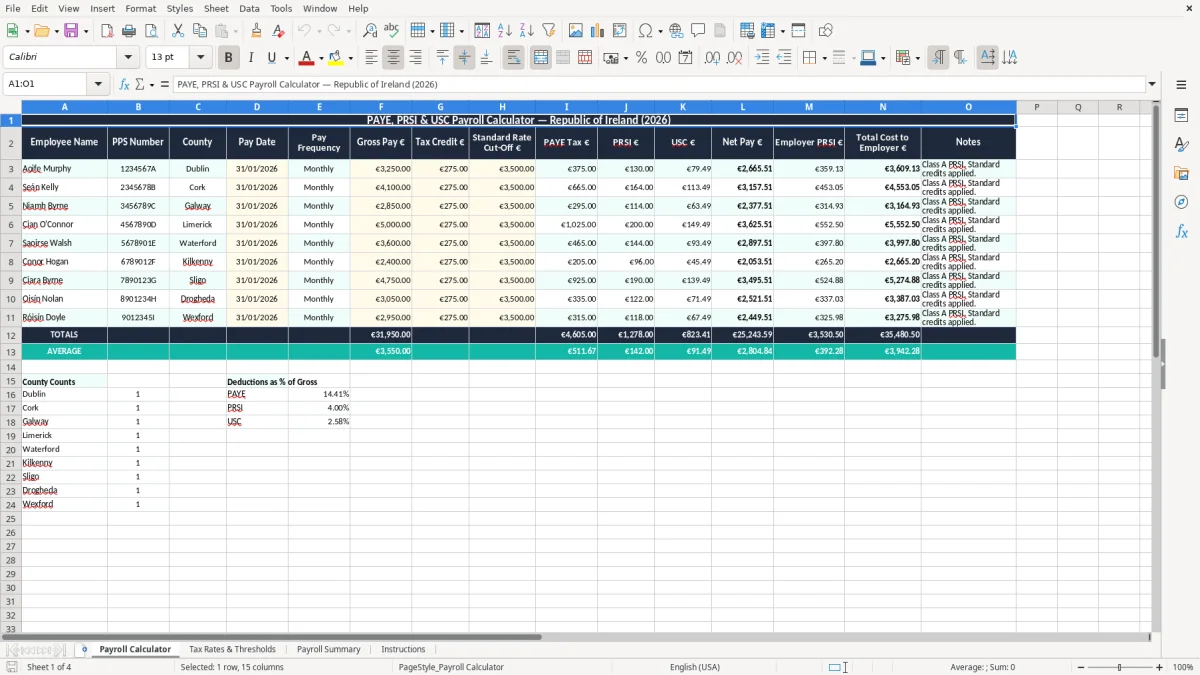
This PAYE PRSI USC payroll calculator Excel template works out Irish payroll deductions for a pay run and shows the net pay, employer cost and totals in one workbook. It includes a Payroll Calculator sheet, a Tax Rates & Thresholds sheet, a Payroll Summary sheet and an Instructions sheet.
You use it when you need a quick check on wages before payroll is submitted through PAYE Modernisation. It is set up for Irish pay runs, so you can enter employee pay, tax bands and deduction details without building the model from scratch.
The layout is practical rather than fancy: you get an input area, a tax reference sheet and a summary view that makes it easy to spot what each employee costs. That suits a small firm, a bookkeeper or an office manager who wants the numbers clean before they hit Revenue.
This is the kind of workbook you keep open on payroll day when you need to check a wage run before it goes out. A small Ltd company, a trades firm with casual staff, or a bookkeeper handling a weekly payroll can use it to work through PAYE, PRSI and USC in a structured way.
Image 1, the Payroll Calculator sheet, is where the pay figures go in. In practice that might mean 4 employees on €550, €620, €680 and €740 gross a week, with the workbook showing the deductions and net pay before you post the figures to the payroll system.
An office manager at a plumbing firm often needs this at the end of the week, before wages are approved. A sole trader with a first employee may use it monthly to see the real cost of bringing someone on, including employer PRSI and the effect of USC on the worker’s net pay.
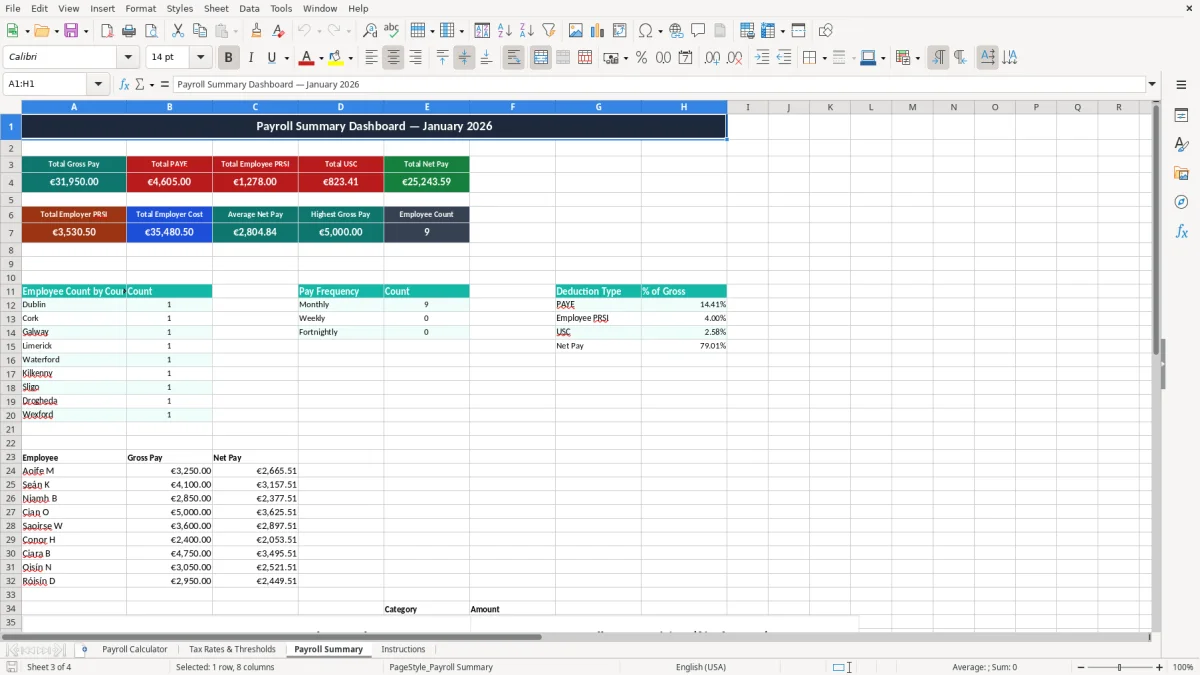
Image 3, the Payroll Summary sheet, gives you the totals that matter to cash flow. If your payroll is €4,800 gross for the week and the deductions bring the employer total to €5,300, you know exactly what leaves the bank account, not just what the staff receive.
The best use is to compare the workbook against the live payroll run rather than rely on memory. That is especially useful when someone has overtime, unpaid leave, or a one-off bonus and you want a second look at the numbers before payday.
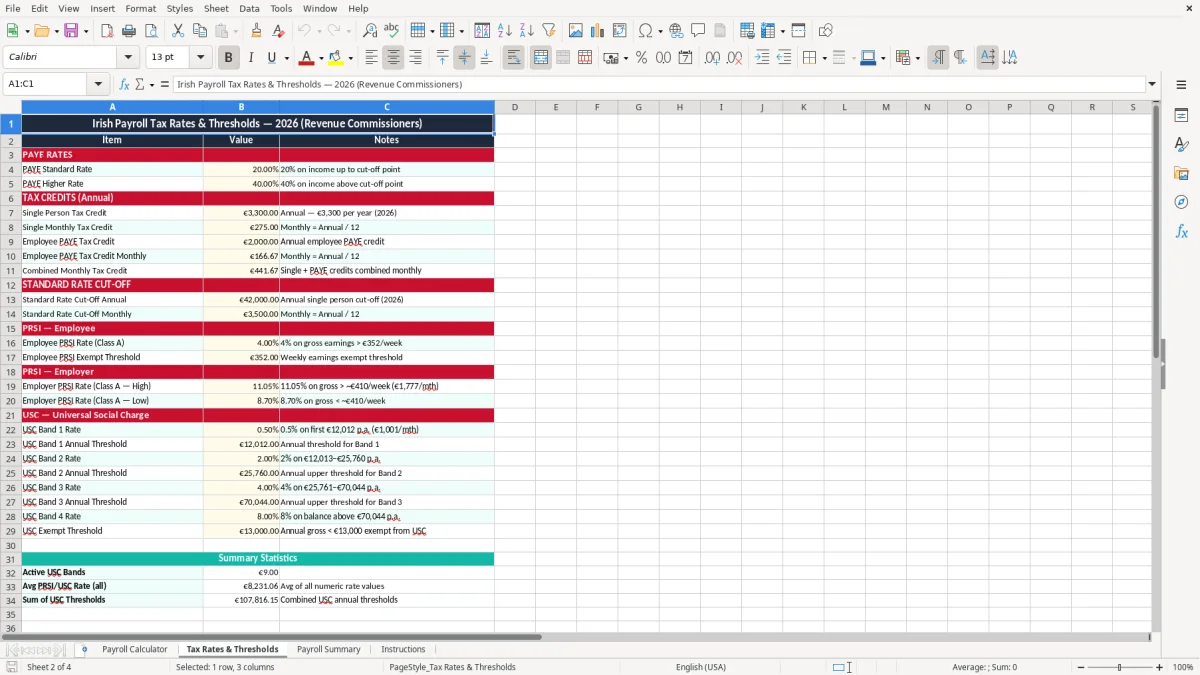
Irish payroll is built around PAYE, PRSI and USC, with payroll submissions made to Revenue under PAYE Modernisation. In 2026, employer PRSI is around 11.05% in many cases, employee PRSI is usually Class A at 4%, and USC runs on graduated bands rather than one flat rate.
That is why a calculator like this is useful: on €3,000 gross pay, the employee’s deductions are not just one simple percentage. The workbook helps you see the impact of each layer, which is far easier than trying to do the full calculation in your head when you have six staff waiting for wages.
Image 2, the Tax Rates & Thresholds sheet, holds the working numbers in one place. If you are checking a monthly payroll of €18,000 gross across 6 employees, a small change in a threshold or band can shift the total by hundreds of euro, so having those rates visible matters.
From a records point of view, Revenue expects payroll records to be kept for 6 years. The cleanest approach is to keep the workbook with the final payslip or payroll report, because that gives you a clear trail if you need to reconcile an employee query, a year-end review or an inspection.
For a tiny payroll, a spreadsheet is fine as a checking tool, especially if you only have a handful of staff or an occasional bonus run. Once you are running a larger payroll with frequent changes, a dedicated payroll system is the better choice because it handles submissions, updates and statutory changes more reliably.
Once payroll grows beyond a simple checking workbook, the next practical step is the income tax return spreadsheet for keeping year-end figures aligned with what has already been reported.
The biggest problem is usually not the formula itself, but the wrong input. One missed overtime hour or a gross pay figure typed as €860 instead of €806 can change the deductions and leave you correcting both the payslip and the bank payment.
If you underpay one employee by €42 net and only notice after payday, you spend time fixing the payment, explaining the mistake and rechecking the rest of the run. In a team of 8 people, one bad figure can easily lead to 30 to 60 minutes of extra work, which is expensive once you add payroll, management and bank time together.
Another common failure is copying a prior run without clearing old values. If last month’s bonus, overtime or sick pay stays in the sheet, you can end up building this month’s payroll on top of stale data and throwing off the whole net pay calculation.
Image 3 should always tie back to the bank payment you are about to make. If the summary says €5,300 total payroll cost but your bank transfer is €4,900, you are either missing employer charges or you have not included a deduction line correctly, and that gap will not fix itself.
A payroll calculator saves money only if you use it as a check, not as a place to rush. Spending 10 minutes reviewing a €12,000 monthly payroll is far better than spending half a day unpicking a mistake after staff have been paid and Revenue records already reflect the wrong figures.
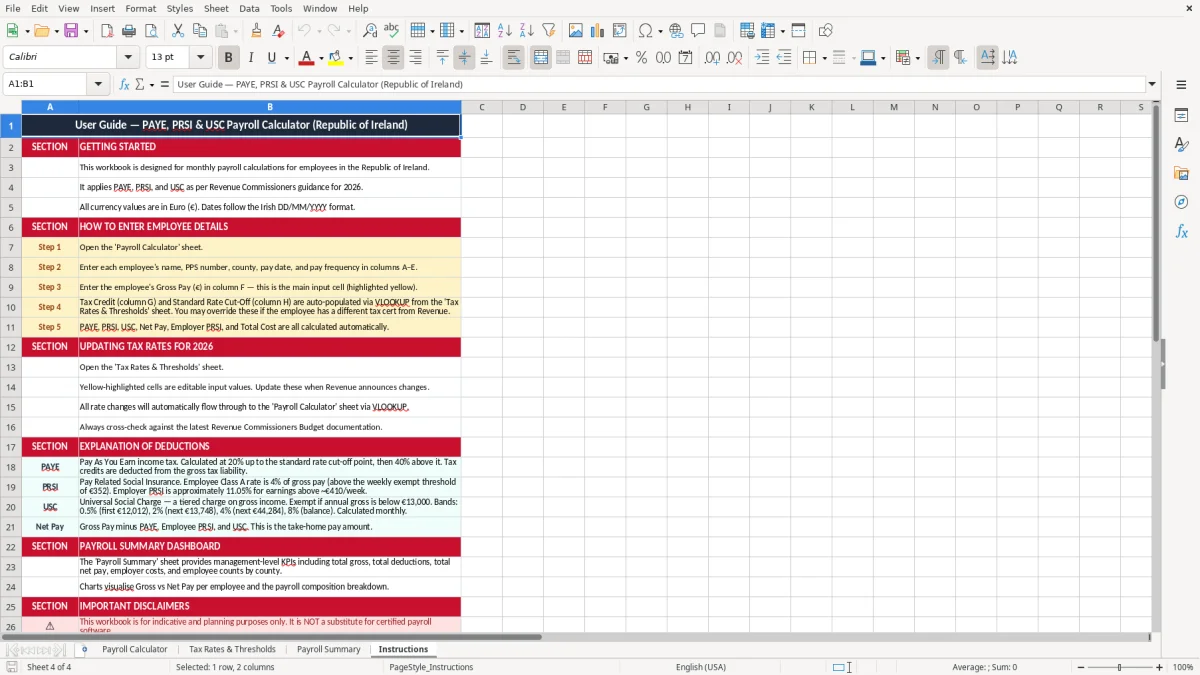
The simplest way to keep this workbook useful is to tie it to the same payroll day every week or month. If wages are approved on Friday afternoon, use the calculator at 11.00 a.m. before the bank file goes out, while the figures are still fresh.
When you are dealing with dozens of employees, multiple pay groups, pension deductions and variable allowances, the spreadsheet becomes more of a risk than a help. At that point, payroll software with automatic submissions to Revenue is the better move.
For a small employer with 3 or 4 staff, this file is a good practical check and will usually save enough time to justify itself every pay period. Once the payroll is large enough that one correction can affect several hundred euro, a proper payroll system is the cleaner option.

 Excel template built and verified by Ciara Byrne, Chartered Accountant (ACA) · builds the Excel templates.