
Cash Flow Projection Excel – Free Template (2026)
0
Free download
Track Irish GLAS legacy payments, hectares, inspections, adjustments and outstanding balances with this practical Excel template.
Download template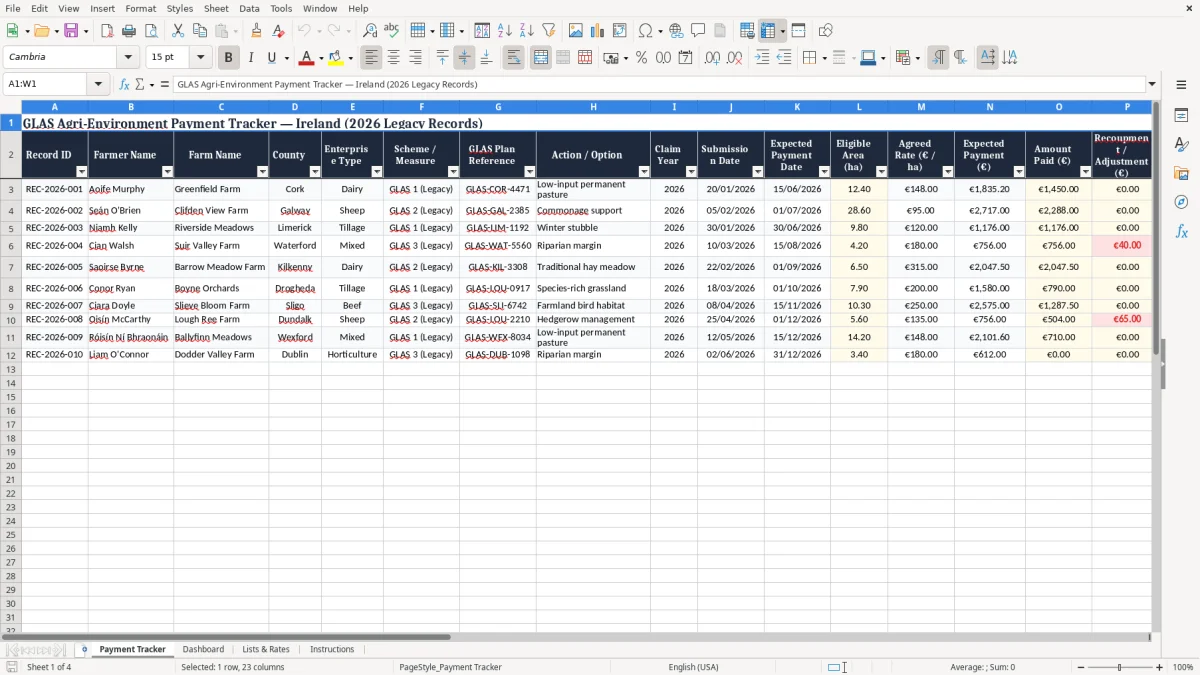
The GLAS Agri-Environment Payment Tracker is an Ireland-focused Excel template for farmers, agricultural advisers and farm administrators managing legacy GLAS records. It provides one structured place to record claimant details, farm information, scheme references, approved actions, eligible areas, agreed rates and payment dates. The workbook also helps you compare expected payments with amounts received, record recoupments or adjustments, monitor inspections and identify balances that may require follow-up.
Use a separate row for each relevant payment record, action, holding or claim so that information remains easy to review and update. The template is designed for practical administration rather than official claim submission, making it useful for organising historical records, preparing questions for an adviser and maintaining a clear payment trail.
Begin by entering a unique Record ID, farmer name, farm name, county and enterprise type for each record. Add the relevant scheme or measure, GLAS Plan Reference, action or option and claim year. Enter the submission date, expected payment date, eligible area and agreed rate.
Record the amount paid when funds are received, then add any recoupment or adjustment so the net payment and outstanding amount can be reviewed. Mark whether an inspection is required and add the inspection date when known. Use the Payment Status field to show whether a record is submitted, pending, part paid, paid or subject to a query.
Keep the Notes field current with correspondence, inspection outcomes, missing information and follow-up dates. The listed rates are useful reference examples, but users should confirm the applicable approved rate and payment conditions for each record before relying on calculations. Review the tracker regularly, reconcile it with bank statements or official payment information, and retain supporting documents separately in line with your normal farm administration procedures.
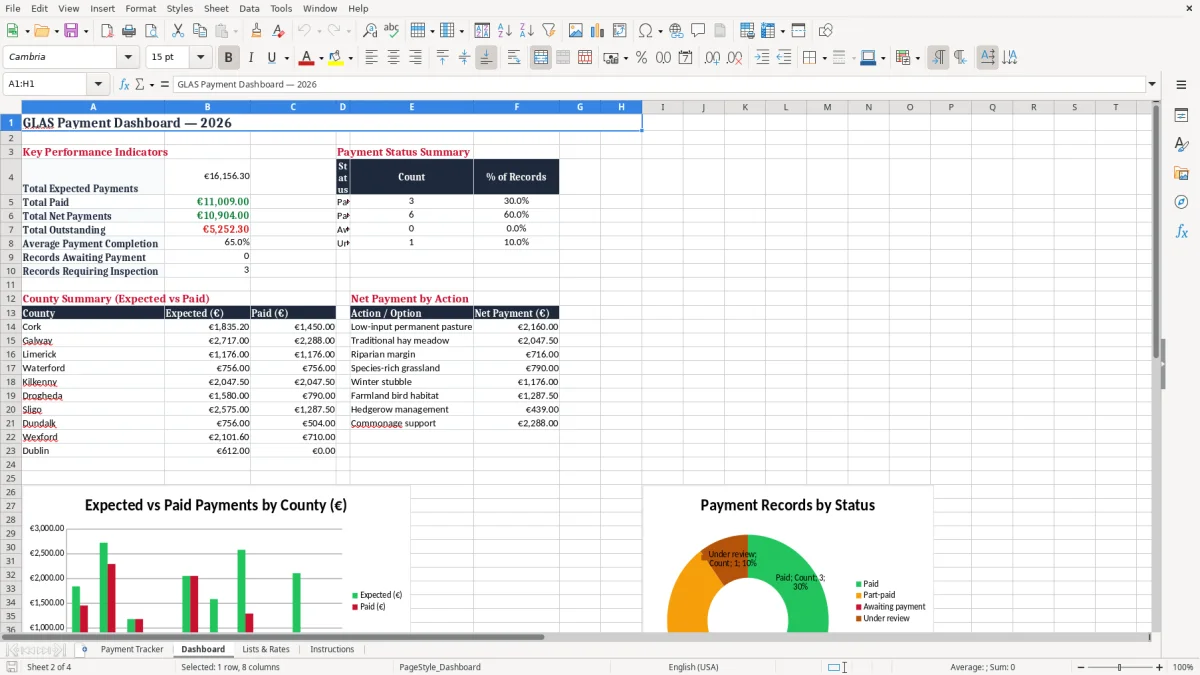
Managing GLAS records can involve more than checking whether a payment has arrived. Farmers and advisers may need to connect a claim year with a farm, a GLAS Plan Reference, an approved action, an eligible area and a payment schedule. This Excel tracker brings those details together in a practical row-based format.
It can be used for low-input permanent pasture, traditional hay meadow, riparian margin, species-rich grassland, winter stubble, farmland bird habitat, hedgerow management and commonage support records. Each row can represent a separate action or payment record, allowing users to distinguish different rates, areas and administrative outcomes. The template is suitable for organising legacy information from GLAS 1 and related records, while keeping the emphasis on clear internal administration.
County and enterprise fields make it easier to sort records for dairy, beef, tillage, mixed and other farm businesses. Submission and expected payment dates provide a simple timeline for checking progress.
The tracker is especially useful when several claims are being monitored at once and information is spread between paper files, email messages, bank statements and official correspondence. By entering information consistently, users can create a more dependable overview of expected income and outstanding items.
It is not a replacement for official Department of Agriculture, Food and the Marine systems or statements, but it can support conversations with advisers and help identify questions before contacting the relevant authority. Always verify claim eligibility, payment rates and current programme requirements using authoritative Irish agriculture guidance.
Keep supporting documents with the related farm file, use clear Record IDs, and review entries whenever a payment, adjustment or inspection outcome is received. This approach helps turn scattered legacy information into a manageable working record without presenting the spreadsheet as an official entitlement decision.
That same working record becomes easier to maintain when a farm payment tracker keeps each adjustment, inspection note and payment date in one place.
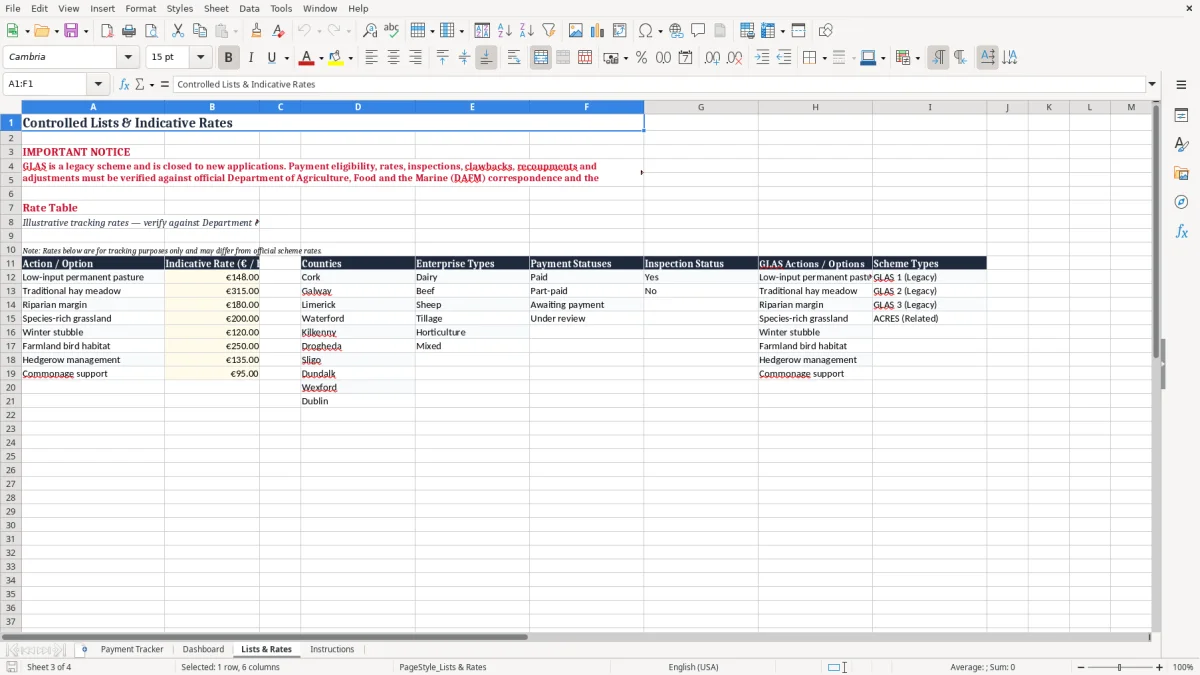
A useful payment tracker should show more than a single amount. GLAS records may include an expected payment, a partial payment, a recoupment, an adjustment or a balance that remains unresolved. This template is structured to help users follow that complete payment journey.
Enter the eligible area in hectares and the agreed euro rate per hectare to establish an expected payment value. When money is received, record the amount paid.
If a recoupment or adjustment applies, record it separately rather than hiding it in a general note. The net payment field then provides a clearer view of the amount retained, while the outstanding field indicates the difference between the expected amount and the net payment.
The payment completion percentage provides a quick progress measure across records. These fields can help a farmer or adviser decide which items need attention first. A record with a high expected value and a low completion percentage may deserve earlier review, while a paid record can be retained for reconciliation and audit purposes.
The Notes area is useful for recording the date of a phone call, a query reference, an adviser comment or an explanation for a difference. Users should compare the spreadsheet with official payment statements and bank records because an internal calculation is only as accurate as the information entered.
Rates supplied in the template are indicative reference examples, not a guarantee of entitlement. Current programme rules, approved measures, area limits, penalties and payment decisions should always be confirmed through official Irish sources or a suitably qualified agricultural adviser. Enter adjustments with a clear explanation, preserve the original correspondence, and avoid overwriting historic values when a correction is made.
Regular reconciliation can reveal missing payments, duplicated entries or unexpected deductions earlier. The workbook is therefore most effective when it is updated promptly and used as a companion to official records, rather than as the sole source for financial decisions.
Regular reconciliation can reveal missing payments, duplicated entries or unexpected deductions earlier, and the same routine can be paired with a grant income calculation sheet when student support amounts need to be tracked alongside other household records.
Inspections and follow-up actions are important parts of agricultural scheme administration. A payment record can appear complete while still requiring an inspection, clarification or supporting document. The GLAS tracker includes dedicated fields for Inspection Required and Inspection Date so these matters remain visible alongside payment information.
Users can mark records that need an inspection and add the date once it has taken place. The Notes field can then hold a short summary of the outcome, any requested action, a document location or the date for the next review.
Keeping these details with the relevant farmer, farm and GLAS action reduces the risk of losing context between separate files. The template can also help advisers prepare a meeting list by filtering records where an inspection is required, where payment is pending or where an adjustment has been applied.
It provides a straightforward way to review whether an expected payment date has passed without a corresponding payment entry. For larger record sets, consistent Record IDs and GLAS Plan References make it easier to discuss individual cases without confusion.
Good administration still requires original records, official notices, maps, invoices and correspondence to be stored securely elsewhere where appropriate. The spreadsheet should support, not replace, the official documentation and compliance processes associated with Irish agricultural schemes.
Because scheme rules and inspection procedures can change, users should not treat a blank inspection field as proof that no inspection applies. Confirm requirements for each claim with official guidance, the relevant authority or an agricultural adviser.
Regular reviews can help keep dates, statuses and notes accurate throughout the payment cycle. Consider adding a simple internal review routine, such as checking pending records weekly during an active period and archiving completed items only after the supporting evidence has been reconciled. Protect personal and financial information, keep backups, and record follow-up responsibilities clearly so that important actions are not lost when a file is shared between a farmer and adviser.
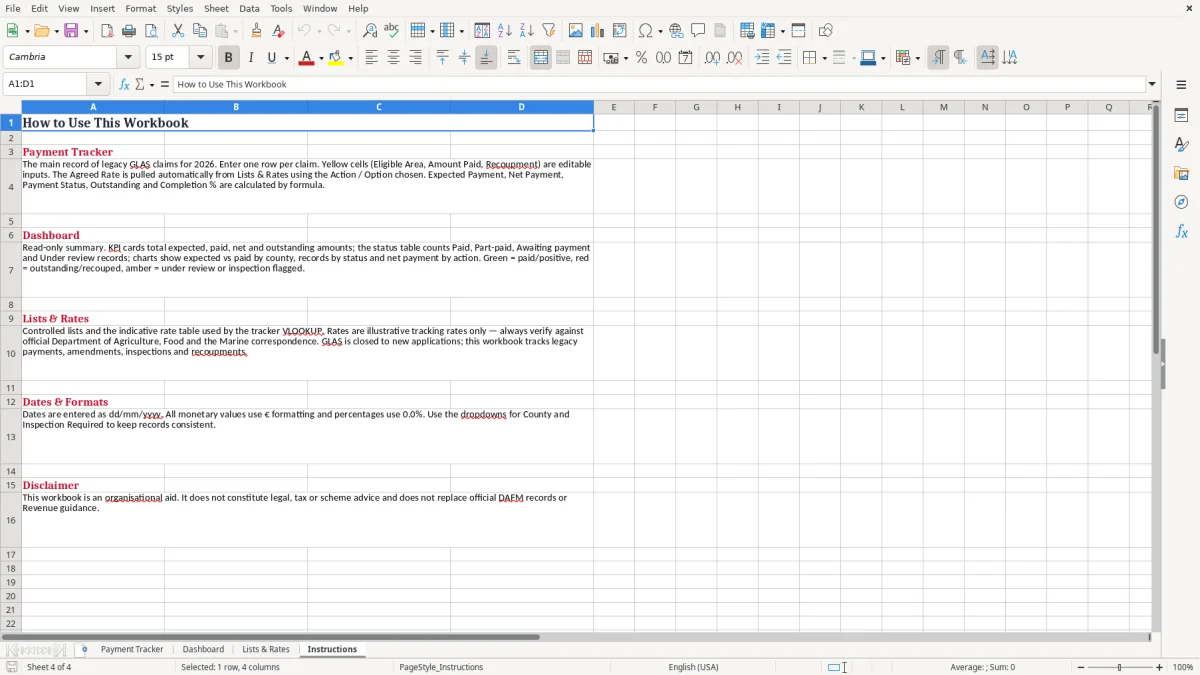
Farm advisers often need a concise way to review several clients, holdings and payment records without creating a separate worksheet for every conversation. This GLAS Excel template offers a simple central register that can be filtered, sorted and updated as information changes.
The County, Enterprise Type, Scheme or Measure, Claim Year and Payment Status fields support quick views of particular groups. Adviser teams can use Record IDs and GLAS Plan References to connect spreadsheet entries with client files and official correspondence.
The payment columns support discussions about expected income, amounts received, recoupments and balances, while the inspection fields highlight records that may need preparation or follow-up. The template is also useful for farmers who want a clearer personal record of legacy scheme activity and pending queries.
Its layout uses familiar Excel concepts, making it accessible without specialist farm-management software. Input areas, currency formatting, date formatting, headings and consistent labels help reduce avoidable entry mistakes.
Users can extend the Notes field with a review date, contact name or action owner if that suits their workflow. For confidentiality, store the workbook securely, limit access to people who need it and consider protecting or backing up the file.
Before sharing it, remove personal information that is not necessary for the recipient. This resource is intended for tracking and organisation, not for certifying eligibility or predicting an official payment decision.
Irish scheme terms, rates, deadlines and conditions may change, so confirm current details with the Department of Agriculture, Food and the Marine, official programme guidance or a qualified adviser. Used alongside source records, the tracker can make routine payment administration more orderly and easier to discuss.
Keep one agreed version as the working file, identify any amendments clearly, and avoid relying on an old exported copy when checking current balances. With consistent data entry and regular review, the workbook can support practical conversations across multiple farms while preserving a straightforward history of payment activity.

 Excel template built and verified by Ciara Byrne, Chartered Accountant (ACA) · builds the Excel templates.