
Childcare NCS Hours Excel Template (2026)
9
Free download
Track rent payments, tenancy dates and eligibility for the Irish rent tax credit in one Excel sheet.
Download template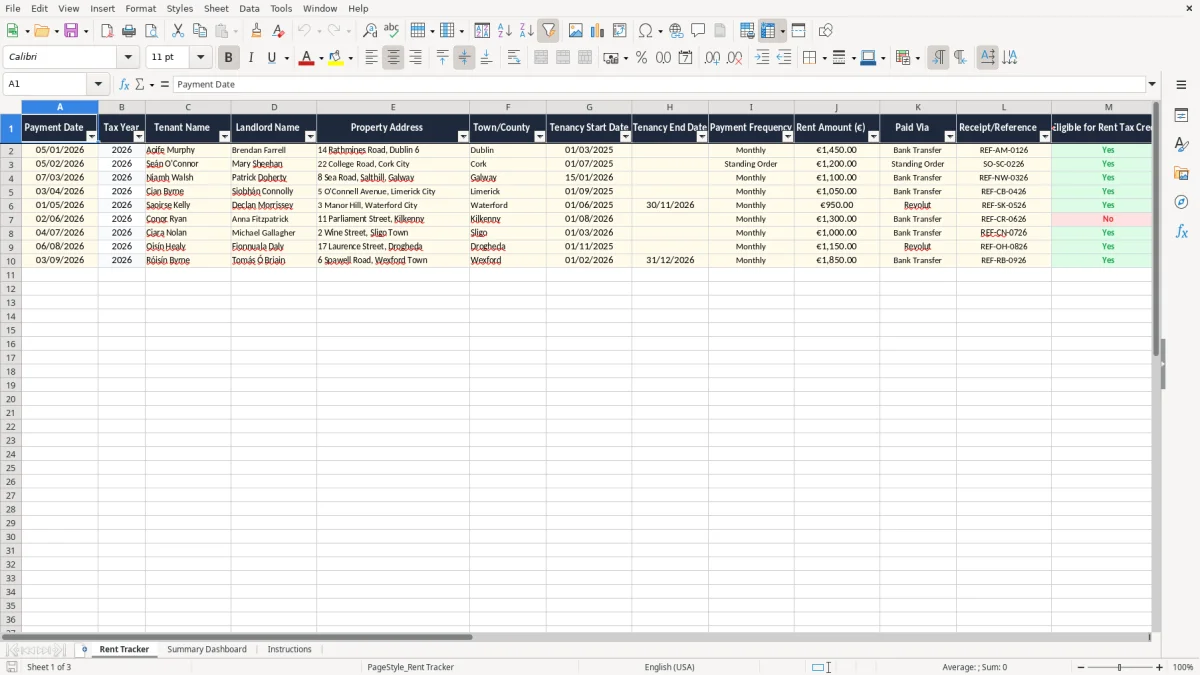
This Rent Tax Credit Tracker Excel spreadsheet is a simple record for Irish tenants to log rent payments, tenancy dates and whether a payment looks eligible for the rent tax credit. It includes a tracker sheet, a summary dashboard and instructions.
Use it to keep proof of who you paid, when you paid, and which months are covered. That makes your Revenue record much easier to check when you are claiming through ROS or reviewing old rent receipts.
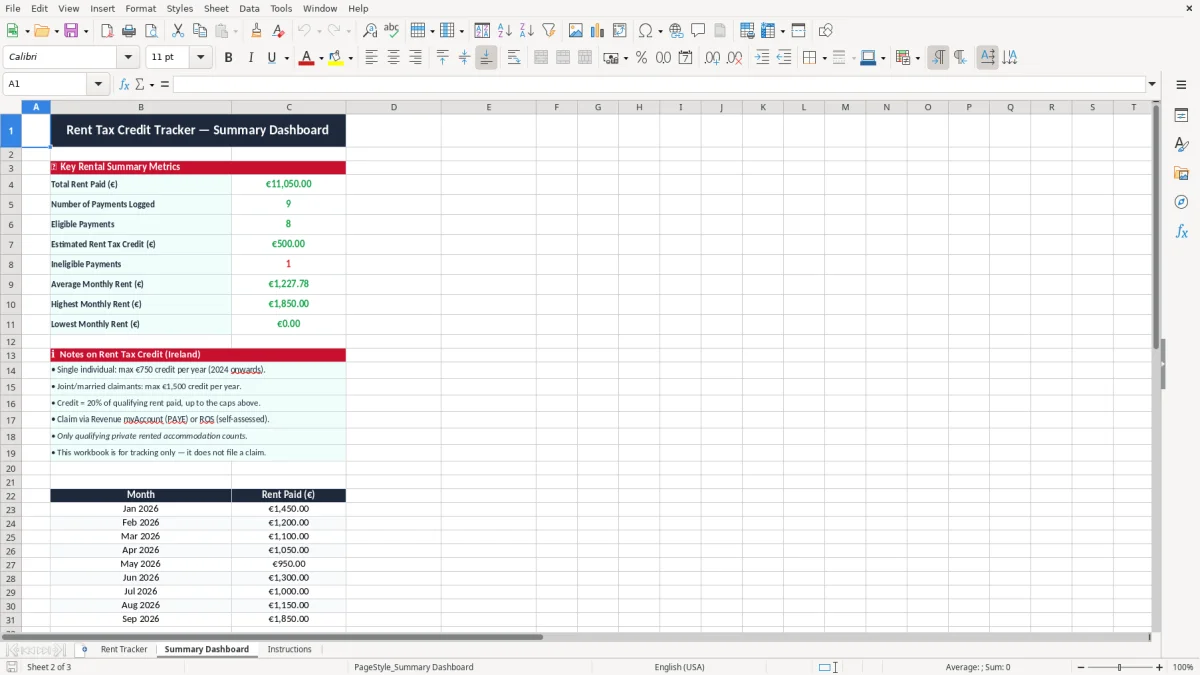
Image 1 shows the Rent Tracker sheet with columns for payment date, landlord details, property address, rent amount, receipt reference and eligibility checks. Image 2 shows the dashboard, which pulls the totals together so you can see the claimable picture at a glance.
This spreadsheet is for tenants who want a clean record before they claim the rent tax credit in Ireland. It suits a lone renter in a city flat, a couple sharing a house, or a parent helping an adult child keep tenancy records straight for Revenue.
Image 1 is laid out like a working file, not a pretty note-taking page. You get payment date, tax year, tenant and landlord names, property address, tenancy dates, payment frequency, rent amount, paid via and receipt reference all on one line, so you can check a month in under a minute.
The moment that matters is usually just before you file your return on ROS, or when you are looking back over a year of rent payments. If you paid €1,450 a month for 12 months, you are looking at €17,400 of logged rent, so a missing month or two is not small change.
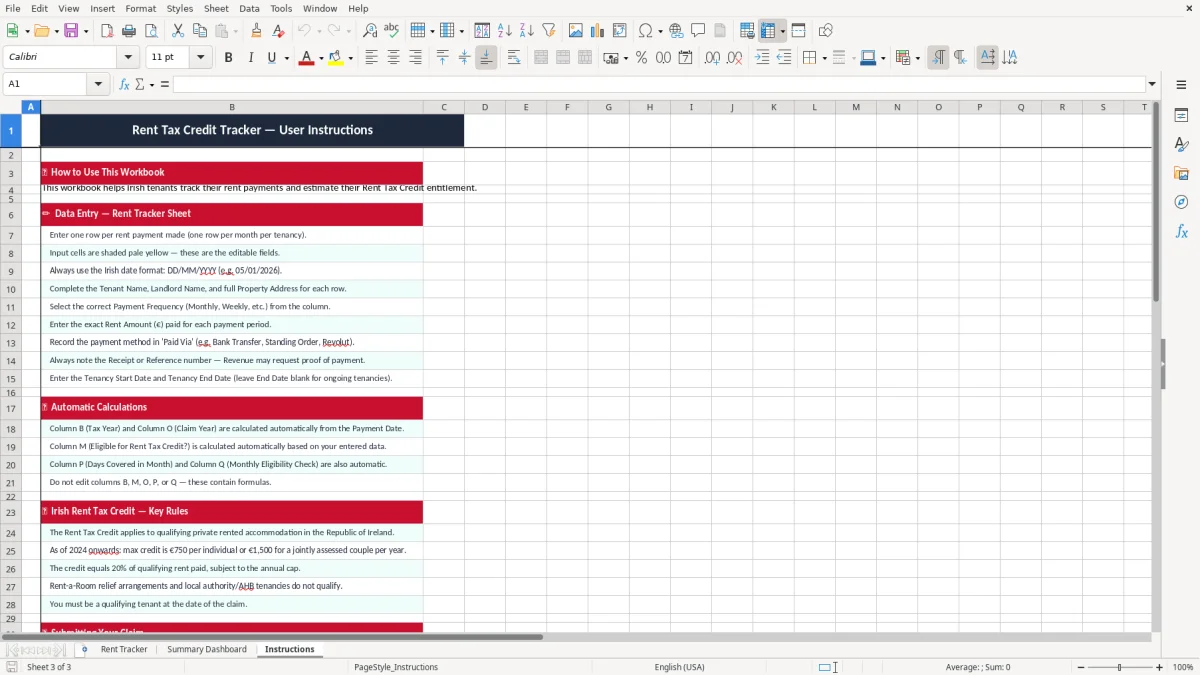
If you moved in on 01/03/2025 and paid €1,450 every month through 2026, you may have a mix of full months and partial months to review. The tracker’s days covered column and claim year field make that easier than trying to reconstruct it from a bank statement alone.
That same check is useful when you move from rent totals to the HTB refund estimate, because the claim year and payment timing have to line up before you can work out the amount.
For tax records in Ireland, keep supporting documents for 6 years. That is the basic record-keeping habit that saves you when you need to back up a rent credit claim or answer a query from Revenue.
The rent tax credit itself is a personal income tax credit claimed through your tax return, and the practical job here is evidence. You want the payment date, amount, landlord detail, property address and a clear link to the month paid, not just a bank line with “rent” on it.
Keep the tenancy start and end dates, lease, rent receipts, bank transfers and any messages confirming the rent amount in the same folder or file. If you are a household paying €1,450 a month, a missing receipt for even three months leaves a €4,350 gap in your paper trail.
The template’s monthly eligibility check and claim year fields are useful because they help you sort payments by tax year instead of by memory. That matters when one lease runs across the year-end and you need to separate what belongs to the current claim from what belongs to the next one.
The biggest problem I see is not the rent itself, but the mess around it. A tenant pays by bank transfer, deletes old emails, and then cannot match a month’s payment to a receipt when they sit down to claim the credit months later.
That can mean hours of trawling through statements, and in the worst case a claim left partly unproved. If you paid €1,450 a month and lose track of four months, that is €5,800 of records you now have to reconstruct from scratch.
Another common error is mixing the landlord’s name with the letting agent’s name, or forgetting that one tenancy changed address mid-year. The file needs the actual property address, the landlord name and the receipt reference so you can separate one tenancy from another without guesswork.
A missing receipt number is not a small thing if you are trying to prove a sequence of payments. If the tracker is blank for payment method or reference, you are left with a bank statement and memory, which is a poor combination when you are checking a claim later on.
A missing receipt number is not a small thing if you are trying to prove a sequence of payments, which is why a payment reference tracker belongs beside the bank statement when you are checking a claim later on.
The file works best when you treat it like part of your monthly admin, not a one-off project. I would tie it to the day you pay rent or the day you check your bank account, because a 3-minute update beats a 2-hour clean-up at year end.
If you pay on the 1st of each month, update the sheet on the same day and keep the receipt reference there and then. If rent is €1,450, missing one update means you are instantly out by that amount until you fix it.
Once you are juggling several tenancies, multiple occupants or lots of supporting files, a spreadsheet can start to feel thin. At that point you may want a proper document system, but for one or two tenancies this template is still the quickest way to stay in control.

 Excel template built and verified by Ciara Byrne, Chartered Accountant (ACA) · builds the Excel templates.