
Mart Cattle Sales Excel – Free Template (2026)
20
Free download
Dental patient recall workbook for Irish practices, with due dates, contact consent, booking status, fee calculations and a dashboard.
Download template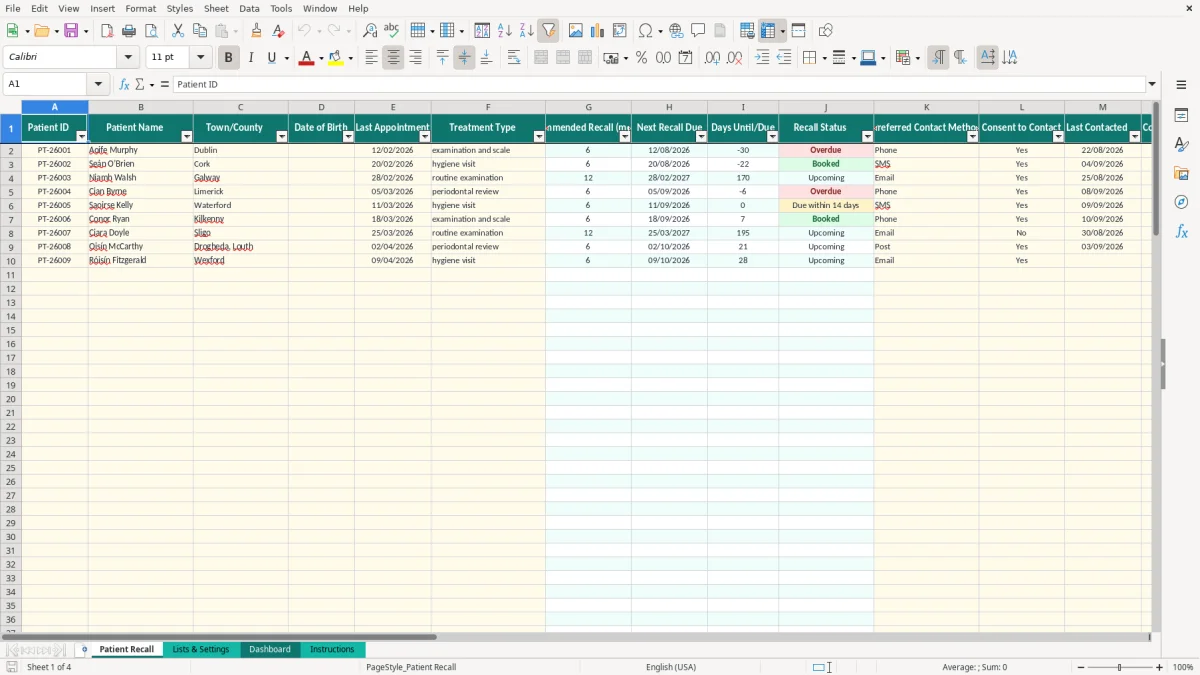
This dental practice patient recall Excel template records patient IDs, treatment types, last appointments, consent and contact history. It calculates recommended recall intervals, next due dates, recall status and indicative fees, with a dashboard for overdue, upcoming and booked recalls.
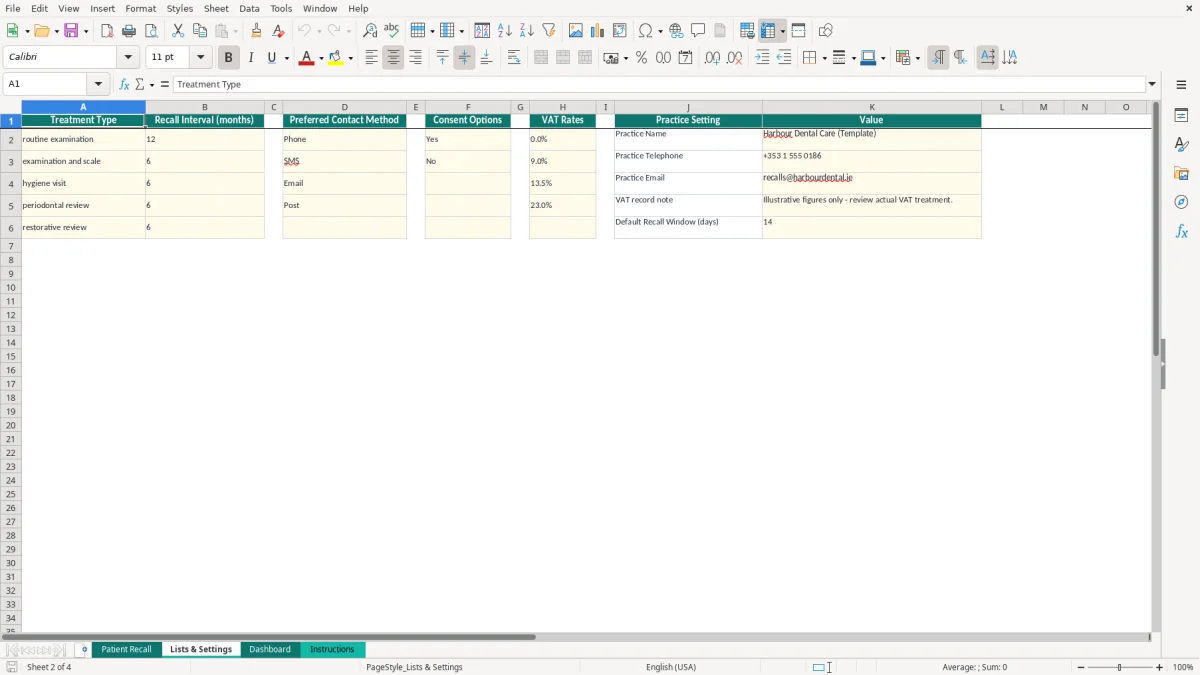
The main Patient Recall sheet holds prepared rows for 100 records, while Lists & Settings controls treatment intervals, contact methods, consent choices and VAT rates. The Dashboard summarises activity, and the Instructions sheet explains safe data entry and patient-data handling.
A receptionist or practice manager usually opens the recall list after the morning appointment book is checked, then again during a weekly call session. A small Cork dental practice may use it to work through patients whose hygiene visit or examination interval has arrived, while a multi-clinician practice may use the Patient Recall sheet as a shared administrative queue.
Each prepared row has fields for the last appointment, treatment type, preferred contact method, consent, contact date, attempts and booking status. For example, the sample row for an examination and scale uses a six-month interval. If the last appointment was 12/02/2026, the calculated next recall date is 12/08/2026.
The status then changes according to the calculated date and today's date. A record with no booking and a due date 10 days away is marked Due within 14 days; a booked record is marked Booked even if its due date has passed.
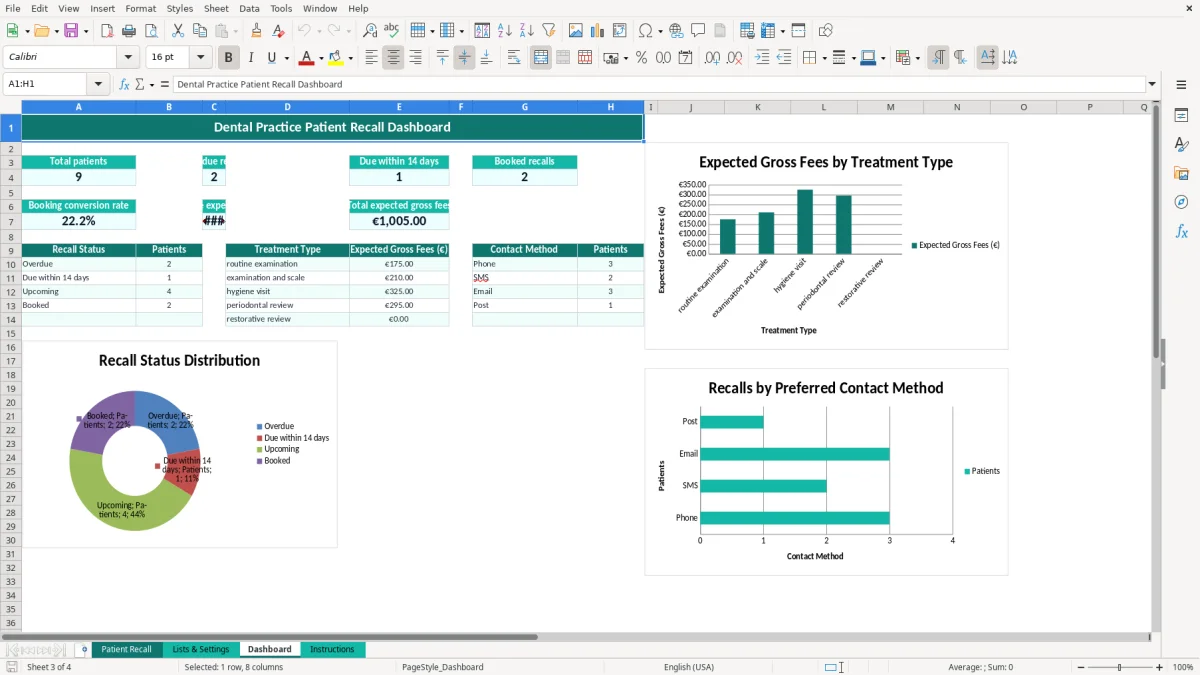
The Dashboard counts patients, overdue recalls, recalls due within 14 days and booked recalls. It also shows booking conversion, average expected gross fee and total expected gross fees. With 80 patients and 20 booked appointments, the booking conversion calculation produces 25%.
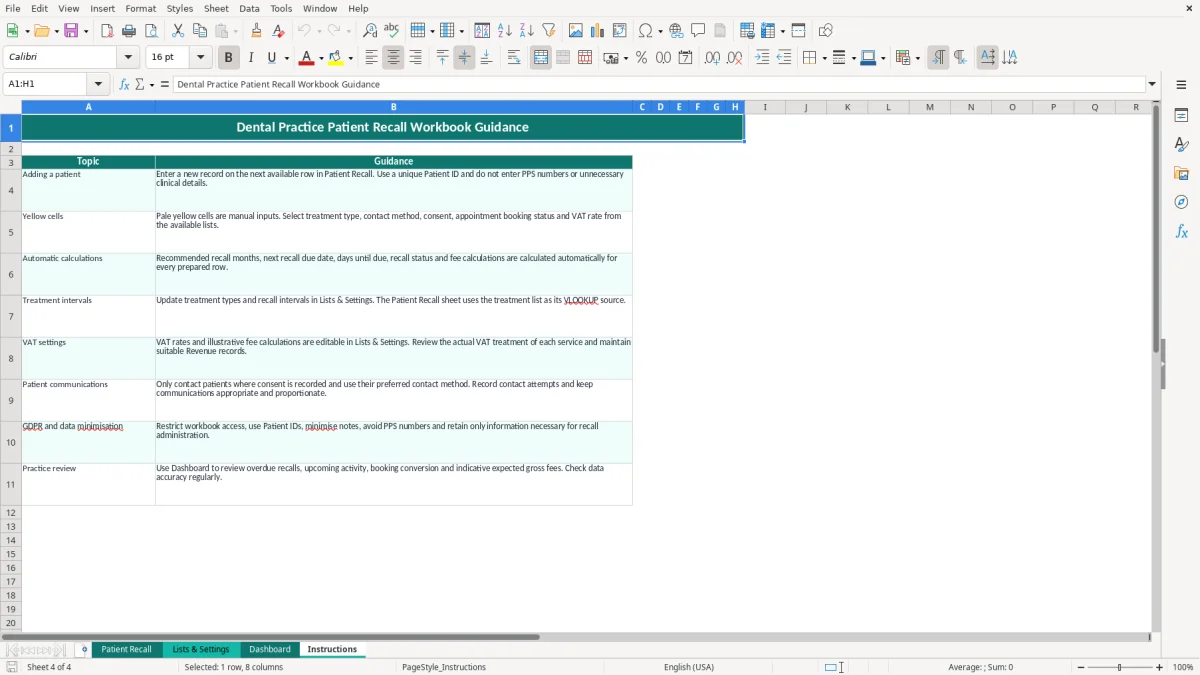
Image 1 shows the wide Patient Recall register with 21 columns, including contact and fee fields. Image 2 shows the editable lists behind the drop-downs. Image 3 shows the dashboard summaries and charts, while image 4 shows the operating guidance for the practice team.
This workbook handles administrative recall information, not a complete patient record. Under the GDPR and the Data Protection Act 2018, the practice should restrict access, use information necessary for recall administration and avoid adding PPS numbers or unnecessary clinical detail. The Instructions sheet specifically directs users towards Patient IDs and data minimisation.
The Patient Recall sheet includes Consent to Contact, Preferred Contact Method, Last Contacted and Contact Attempts. Only contact patients where the practice has an appropriate basis and recorded consent where required. A patient who has selected SMS should not automatically be moved to email simply because email is quicker.
Keep access to the file limited to authorised staff and protect any shared storage. A data breach may require notification to the Data Protection Commission within 72 hours under GDPR Article 33, so an unrestricted spreadsheet on a personal USB drive is a poor operating choice.
The workbook includes editable VAT rates of 0%, 9%, 13.5% and 23%, but its fee calculations are illustrative. A €120 expected fee at 23% produces a calculated net amount of €97.56 and VAT of €22.44. That calculation does not establish whether a dental service is taxable.
Irish VAT registration thresholds are €37,500 for services and €75,000 for goods, but a dental practice must classify its actual supplies correctly. Keep Revenue records for 6 years and review the VAT treatment before relying on the gross-fee totals for a VAT3 return or bookkeeping.
The most expensive failure is often not a broken formula. It is a recall list that nobody owns. If 40 patients become due in a month and 12 are not contacted, the practice may lose a full week of hygiene or examination appointments, particularly when the diary has gaps that could have been filled.
Typing a date as text can stop the due-date chain from working properly. The workbook applies date validation to appointment, birth and contact-date fields, and displays dates as DD/MM/YYYY. Entering 12/08/2026 consistently is safer than mixing text such as August 12 and August 2026.
Another common mistake is changing the treatment interval for one patient instead of correcting the source list. The recommended months come from the treatment type through VLOOKUP. If examination and scale should be 6 months, correct that setting once rather than manually overwriting 30 rows.
A contact attempt without a consent decision creates an operational and compliance problem. So does a note containing detailed clinical information when the recall process only needs a short administrative comment. Ten unnecessary notes copied across 300 records create more exposure without improving booking work.
Fee errors also mislead managers. A €95 fee at 0% produces €95 net and gross, while €85 at 9% produces €77.98 net, €7.02 VAT and €85 gross. Treat these as indicative calculations only; using the wrong VAT rate can distort the dashboard and the practice's bookkeeping.
The spreadsheet works best when recall administration has a fixed owner and time. For a practice with 300 active patients, set aside 30 minutes after the weekly diary review to filter the Patient Recall sheet mentally by the status values shown in column J, starting with overdue records and then those due within 14 days.
Only a nominated person should change Lists & Settings. A six-month interval changed to 12 months affects every new VLOOKUP result for that treatment, so record why a setting was changed and review the resulting due dates.
Do not insert new formula columns casually. The prepared operational area runs through row 101, while Dashboard formulas summarise ranges extending to row 1000 for several counts. Test a copied row before expanding the workbook.
This remains a practical register rather than a full practice-management system. Once several staff need simultaneous access, automated SMS, clinical notes, audit history, appointment integration or more than the prepared 100 rows, move to a controlled dental practice system and retain only the necessary administrative export.

 Excel template built and verified by Ciara Byrne, Chartered Accountant (ACA) · builds the Excel templates.